
Vuélvete ilimitado con Magzter GOLD
Obtenga acceso ilimitado a más de 9000 revistas, periódicos e historias Premium por solo
Intentar ORO - Gratis
Photoshop Lightroom (5.4) and Lightroom Classic (11.4)
MacFormat UK
|September 2022
Organise, edit and share shots from iPhone or Mac
£9.98/month (as part of Adobe's Photography Plan with 20GB of online storage) > FROM adobe.com/uk >
NEEDS Lightroom Classic needs macOS 10.15 or later; Lightroom CC needs macOS 11 or later; Lightroom CC for iOS needs iOS 13 or later
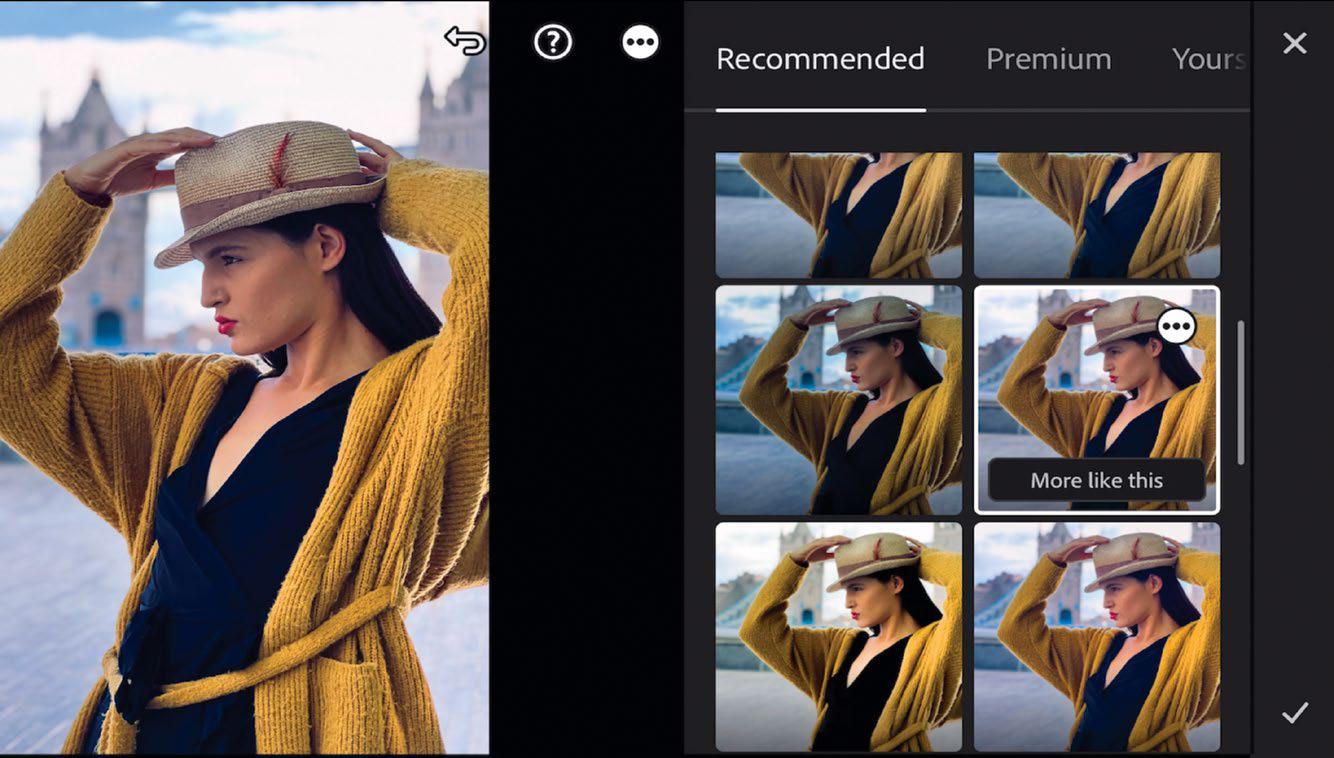
With help from Al, you can create a mask to selectively adjust a complex shape
Earlier this year, Adobe announced major updates to its Lightroom apps so we thought the time is right to take look at what’s new, plus compare the two versions of Lightroom to see which one might best suit your needs as a photographer. Lightroom comes in two ‘flavours’– the original desktop-based Lightroom (rebranded as Lightroom Classic) and the newer streamlined Lightroom. We’ll refer to the newer version as Lightroom CC (Creative Cloud) to help differentiate between the two apps in this review.
So what are the differences between the two versions? The original desktop Lightroom Classic has long been the app of choice for professional photographers who need to organise and edit a large collection of assets on their Macs. Lightroom Classic creates a catalogue that knows exactly where each photo is stored and what keywords and edits have been applied to it, which is very helpful if you have thousands of photos scattered across multiple external drives. It also boasts a collection of modules – Print, Slideshow, Book, and Web – that enable you to share your work in a variety of ways.


Esta historia es de la edición September 2022 de MacFormat UK.
Suscríbete a Magzter GOLD para acceder a miles de historias premium seleccionadas y a más de 9000 revistas y periódicos.
¿Ya eres suscriptor? Iniciar sesión
MÁS HISTORIAS DE MacFormat UK
MacFormat UK
Affinity by Canva
A complete creative studio for zero cost

3 mins
February 2026
MacFormat UK
RSRs return from the dead
Apple announced Rapid Security Responses in June 2022, as a new means of applying urgent security patches in between macOS updates.
1 min
February 2026
MacFormat UK
Rediscover albums with Longplay
Fall in love with your albums all over again with this amazing music player
3 mins
February 2026
MacFormat UK
Set up multiple timers on iOS
Discover timers done right
2 mins
February 2026

MacFormat UK
Chants of Sennaar
Work your way beyond being lost in translation
2 mins
February 2026
MacFormat UK
Signature Slim Solar+ wireless keyboard K980
A comfortable, full-size keyboard that's always good to go
2 mins
February 2026
MacFormat UK
One more thing Apple Intelligence
Apple has promised a big AI update in 2026, and Graham Barlow feels nervous
2 mins
February 2026

MacFormat UK
Search any website - fast!
Find your favourite websites faster than ever
3 mins
February 2026

MacFormat UK
Make your ideal web browser
Make online life easy by making your web browser work your way
2 mins
February 2026

MacFormat UK
Best home printers & all-in-ones
We put six all-round home models through their printing paces
7 mins
February 2026
Translate
Change font size