Prøve GULL - Gratis
iPhone portrait photo guide
MacFormat UK
|January 2024
Take amazing portraits by day or night
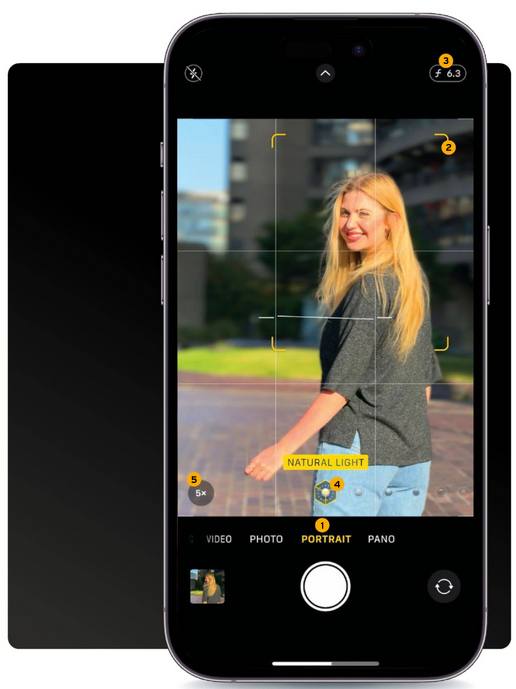
As we head into the festive season and New Year celebrations, there will be plenty of photo opportunities to enjoy with friends, family, and work colleagues. Your ever-present iPhone is most likely going to be your best camera, both for instant access and quality, especially when it comes to capturing stunning portraits of the people in your life.
This feature is packed full of tips, tricks, and techniques to help you make the most of the iPhone Camera app’s many shooting modes. We’ll also look at how your iPhone’s various built-in lenses quickly give you a wide range of compositional choices (without having to pause and swap lenses like you do with a bulky Digital SLR camera).
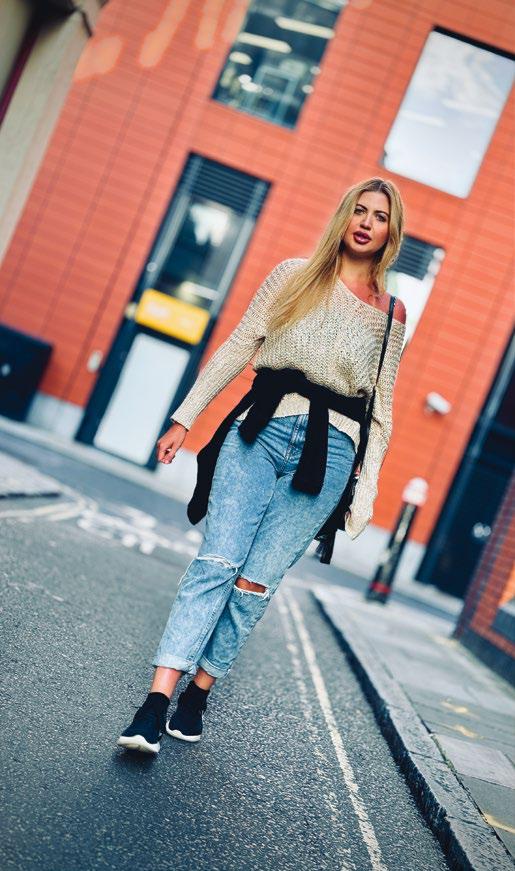
As the nights get longer you’ll face the challenge of shooting people in low light, so we’ve devoted two pages to capturing colourful low-light portraits. We also recommend some third-party gadgets (such as portable LED lights) to improve the quality of low-light shots, as well as adding three-dimensional ‘modeling’ to a subject’s face.
Your iPhone is a one-stop shop! As well as capturing portraits it enables you to change their colors, tones, and composition in its digital darkroom – the Photos app. We’ll explore wide range of post-production techniques (such as adding background blur) to help make your portraits look more like the work of a professional photographer. Your edited portraits will then catch the eye (and the ‘likes’) of friends and followers when you use the iPhone to share your shots via social media sites such as Instagram, Facebook, or X (formerly known as Twitter).


Denne historien er fra January 2024-utgaven av MacFormat UK.
Abonner på Magzter GOLD for å få tilgang til tusenvis av kuraterte premiumhistorier og over 9000 magasiner og aviser.
Allerede abonnent? Logg på
FLERE HISTORIER FRA MacFormat UK
MacFormat UK
Affinity by Canva
A complete creative studio for zero cost

3 mins
February 2026
MacFormat UK
RSRs return from the dead
Apple announced Rapid Security Responses in June 2022, as a new means of applying urgent security patches in between macOS updates.
1 min
February 2026
MacFormat UK
Rediscover albums with Longplay
Fall in love with your albums all over again with this amazing music player
3 mins
February 2026
MacFormat UK
Set up multiple timers on iOS
Discover timers done right
2 mins
February 2026

MacFormat UK
Chants of Sennaar
Work your way beyond being lost in translation
2 mins
February 2026
MacFormat UK
Signature Slim Solar+ wireless keyboard K980
A comfortable, full-size keyboard that's always good to go
2 mins
February 2026
MacFormat UK
One more thing Apple Intelligence
Apple has promised a big AI update in 2026, and Graham Barlow feels nervous
2 mins
February 2026

MacFormat UK
Search any website - fast!
Find your favourite websites faster than ever
3 mins
February 2026

MacFormat UK
Make your ideal web browser
Make online life easy by making your web browser work your way
2 mins
February 2026

MacFormat UK
Best home printers & all-in-ones
We put six all-round home models through their printing paces
7 mins
February 2026
Translate
Change font size