
Magzter GOLD ile Sınırsız Olun
Sadece 9.000'den fazla dergi, gazete ve Premium hikayeye sınırsız erişim elde edin
Denemek ALTIN - Özgür
Photoshop Paint Charismatic Character Art
ImagineFX
|September 2019
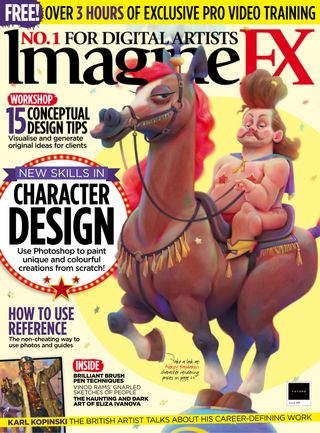
Character designer Aleksey Baydakov reveals his colourful rendering process as he depicts a unique circus partnership.
-

The ImagineFX team saw my sketch of a well-matched circus duo and asked me to develop the art for their cover. I really like these cartoon characters and was happy to render them in colour. I love it when the form and details of my characters convey their mood and charisma.
I do all my work in Photoshop. In this workshop, I’ll explain my usual process of working on the rendering of characters in colour. I’ll show key techniques and principles that guide me, and reveal how I use photo textures. I don’t employ a large number of brushes, but I try to sculpt forms through my brushstrokes, just as in traditional painting. The strokes are visible if you study the art closely, but the render looks smooth at a distance. It took me some time to perfect this technique, but now I use it to speed up my painting process. And I like the effect it produces.
It’s crucial to observe the phasing, and go from simple forms to complex details. It’s also important to establish all the details during the sketch stage, otherwise you may run into trouble later on. Of course, I’m inconsistent and make mistakes, but that’s just part of the fun! Let’s see how I create these performers, who are clearly at the top of their game…
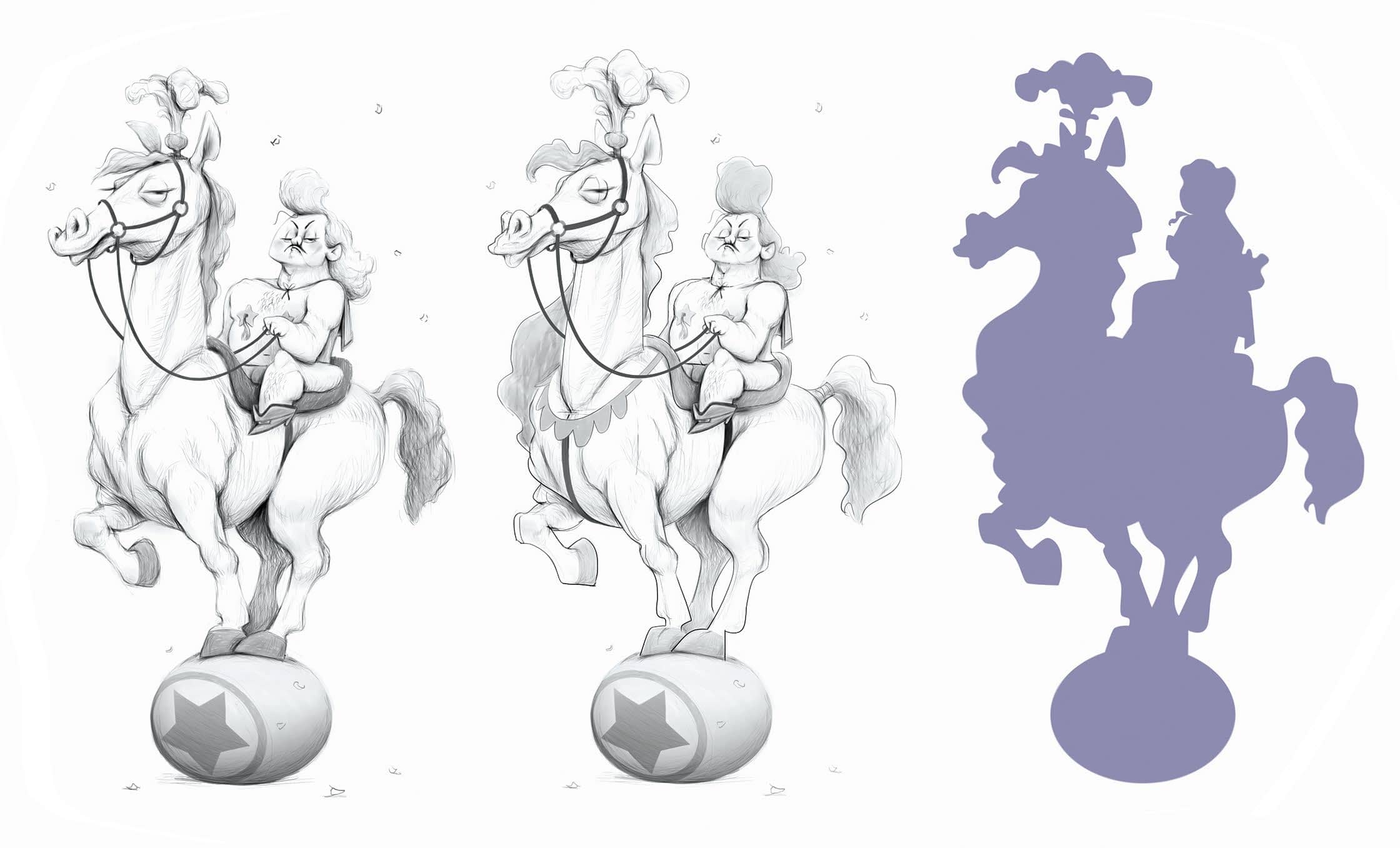
1 Adjusting and improving the original sketch
Because I’m working from a finished sketch and it’s been some time since I drew it, this is an opportunity to take a fresh look at it and make some small adjustments. I clarify the lines, then turn the image into a silhouette to assess the expressiveness of the forms and counter shapes.


Bu hikaye ImagineFX dergisinin September 2019 baskısından alınmıştır.
Binlerce özenle seçilmiş premium hikayeye ve 9.000'den fazla dergi ve gazeteye erişmek için Magzter GOLD'a abone olun.
Zaten abone misiniz? Oturum aç
ImagineFX'den DAHA FAZLA HİKAYE

ImagineFX
HP Omnibook X Flip 16
DOUBLING UP HP's latest Omnibook 2-in-1 is a decent-enough productivity laptop, but it truly shines when it's transformed into tablet mode

2 mins
February 2026

ImagineFX
Phaya Akat - The Sanctuary
“Phaya Akat’s Sanctuary Village began from a simple idea inspired by Thailand’s tradition of boiling eggs in natural hot springs.
1 min
February 2026

ImagineFX
HOW SURFACE NORMALS IMPROVE YOUR 3D ART
Ant Ward explains how to quickly change the way a polygon model looks by adjusting its normals
1 mins
February 2026

ImagineFX
Painting in Procreate: Reimagine Your Surroundings
VISIONARY WORK Across 20 lessons, Mikko Eerola reveals how he brings his ideas to life on the iPad using Procreate
1 mins
February 2026

ImagineFX
Technique focus: WORK SMARTER WITH COLOURS
Álvaro Jiménez reveals the workflow process he follows to summon an armoured demon
1 mins
February 2026

ImagineFX
FIVE MINUTES WITH PAT IMRIE
Big-screen blockbusters and a certain 3D art magazine helped set this creative on his career path
3 mins
February 2026

ImagineFX
RIFF ON YOUR PASSIONS
Max Froer draws on a range of influences when rendering a beast that's part machine
1 min
February 2026

ImagineFX
Anker SOLIX C1000
BOX OF DELIGHTS The chonkiest power bank around is powerful, portable (after a fashion) and boy is it well built
2 mins
February 2026

ImagineFX
PAINTING A SCENE OF GREEK DRAMA
Alexander Leskinen creates a stormy environment featuring harpies, the winged messengers of Zeus.
3 mins
February 2026

ImagineFX
HOW DO I COLOUR A 3D OBJECT?
The process of colouring a 3D image has a lot of layers, so let's start at the surface. Mike Griggs weighs up the material requirements
2 mins
February 2026
Translate
Change font size