
Magzter GOLD ile Sınırsız Olun
Sadece 9.000'den fazla dergi, gazete ve Premium hikayeye sınırsız erişim elde edin
Denemek ALTIN - Özgür
Learn Lisp Programming Using MCUs - Part 2: Extending µLisp with Custom Functions
Circuit Cellar
|February 2025
In the second installment of this series, Raul delves into the world of µLisp and shows how to extend capabilities by adding custom functions such as "pulsein" and "servo-create", enabling developers to interface with ultrasonic sensors and control servomotors. In Part 1, Raul presented µLisp concepts and syntax, and extensions specific to MCUs.
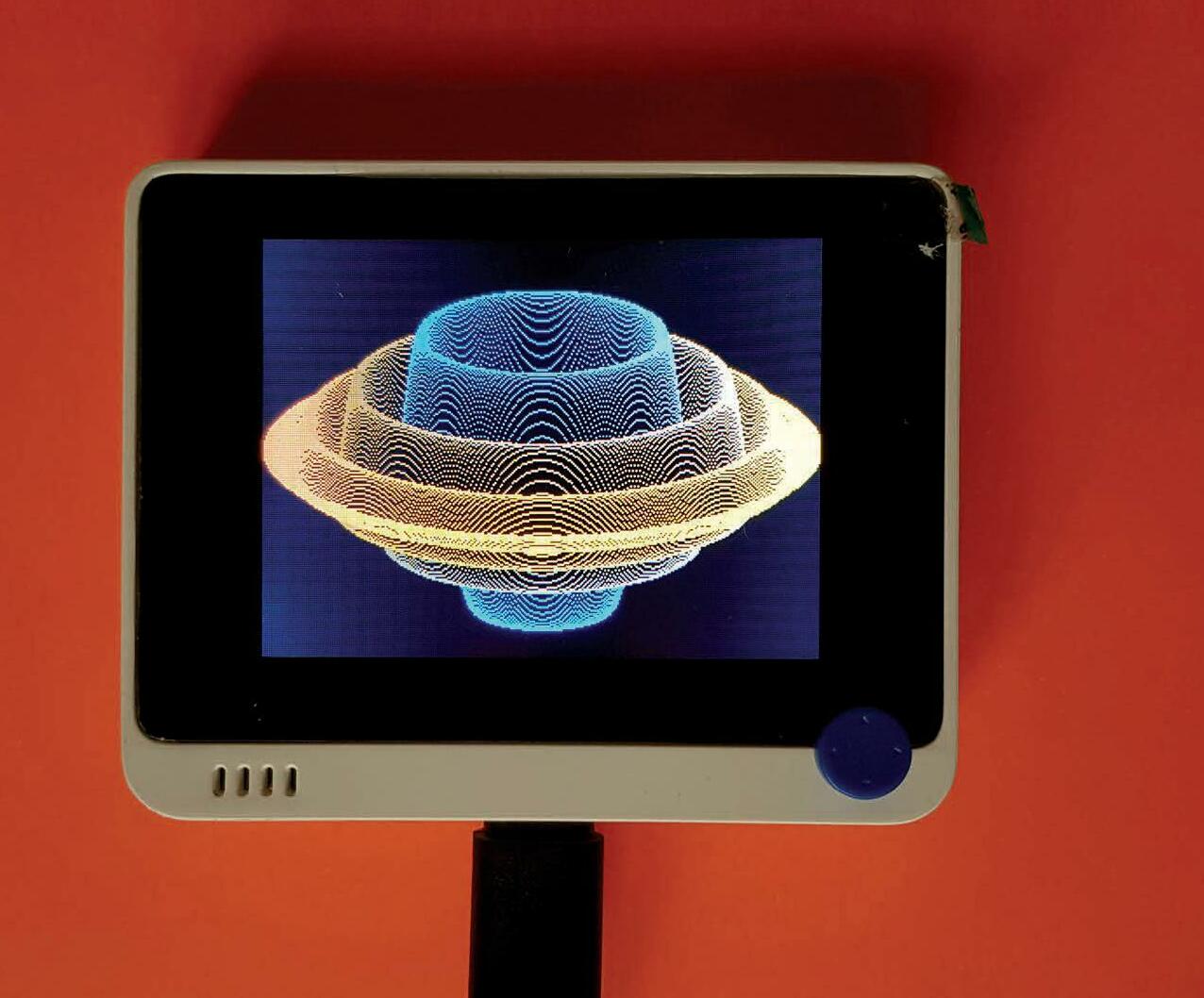
μLisp is a dialect of the Lisp programming language. It is tailored to microcontrollers having limited amounts of RAM, and can be run on various platforms—from the Arduino Uno based on the ATmega328, up to the Teensy 4.0/4.1 [1]. To follow the topics discussed here, you need to be acquainted with the Arduino platform and any programming language from the Lisp family. Please see Part 1 of this article series (“Crash Course Offers Insight into Pioneering Language,” Circuit Cellar 411, October, 2024) for a brief introduction to Lisp programming and the µLisp dialect [2].
With µLisp, it is possible to add your own extension functions, such that they appear as built into the language after re-compiling and flashing the µLisp interpreter to your Arduino board. There’s an excellent tutorial on how to do this on the µLisp website [3]. I will build on that tutorial to discuss how to add custom functions. For the examples presented here, I will continue to use Seeed Studio’s Wio Terminal MCU development board; but the information discussed also can be applied to other µLisp-supported Arduino boards.
EXTENDING µLISP
In general, any function not supported by default in µLisp can possibly be added as an extension to the language—for instance, hardware access functions for servomotor control. Let’s explore a simple example to help us understand how the language extension system works.
Listing 1 shows the Arduino C code for adding the pulsein extension to µLisp, which is not available by default. This extension will make it possible to measure digital pulse widths. Five sections of the listing show the µLisp extensions structure. Like the core µLisp interpreter, extensions are also written in Arduino C language. So, any extensions to the interpreter imply basically writing C code. That makes adding them straightforward, using the Arduino C language built-in functions and external libraries.


Bu hikaye Circuit Cellar dergisinin February 2025 baskısından alınmıştır.
Binlerce özenle seçilmiş premium hikayeye ve 9.000'den fazla dergi ve gazeteye erişmek için Magzter GOLD'a abone olun.
Zaten abone misiniz? Oturum aç
Circuit Cellar'den DAHA FAZLA HİKAYE

Circuit Cellar
Sensors: From Canned Tuna to Caviar
In the first installment of a new Circuit Cellar column on sensors, Brian Chee looks at how sensors figure into larger application packages and when can be the perfect solution.

10 mins
February 2026

Circuit Cellar
Bosch Sensortec Launches BMI423 Inertial Measurement Unit
Smart wearables are always on the move-and so is their sensing technology. Bosch Sensortec introduced the BMI423, a new-generation Inertial Measurement Unit (IMU) that combines extended measurement range with low power consumption.
1 mins
February 2026

Circuit Cellar
Renesas Releases its First Wi-Fi 6 and Wi-Fi/Bluetooth LE Combo MCUs for IoT and Connected Home Applications
Renesas Electronics Corp., a premier supplier of advanced semiconductor solutions, has introduced the RA6W1 dual-band Wi-Fi 6 wireless microcontroller (MCU), along with the RA6W2 MCU that integrates both Wi-Fi 6 and Bluetooth Low Energy (LE) technologies.
1 mins
February 2026

Circuit Cellar
Airborne Embedded Software: Simplifying Safety and Security
With modern airborne systems no longer isolated computing environments, any vulnerabilities introduced into these increasingly connected devices can quickly become much more than just a cybersecurity issue, but a safety risk no one can afford.
4 mins
February 2026

Circuit Cellar
Wearable LIDAR Spatial Audio Navigator for Visually-Impaired Individuals
Built with a Raspberry Pi Pico, a TF-Luna LiDAR Sensor, and a Hand-Held Potentiometer
13 mins
February 2026

Circuit Cellar
ADRs: The Missing Memory in Embedded Projects
Remembering and communicating why design decisions were made and the reasons behind their particular implementations can be critical when it comes to developing software as a team and maintaing that software in the future. This time Jacob shares his thoughts on and experience with one of the most valuable tools to extend the reach of software development memories.
9 mins
February 2026

Circuit Cellar
Sensors: From Canned Tuna to Caviar
In the first installment of a new Circuit Cellar column on sensors, Brian Chee looks at how sensors figure into larger application packages and when \"just enough sensors\" can be the perfect solution.
10 mins
February 2026

Circuit Cellar
Embedded DSP with the RT1010 MCU
Part 2: Delay, Flanger, IIR, and Overdrive
15 mins
February 2026

Circuit Cellar
Omnion Power Provides Modular, Scalable DC Power System Monitoring and Control with New Pulsar 200 Controller
Omnion Power is helping to redefine the role of the DC power system controller with its next-generation Pulsar 200 platform.
1 mins
February 2026

Circuit Cellar
Robot Operating System 2 (ROS 2): Core Concepts, Architecture, and Real-World Capabilities
The Robot Operating System 2 (ROS 2) is an open-source, middleware framework that addresses the communication and coordination challenges inherent in modern, distributed robotic systems. In this article, Pedro details how ROS 2's architectural foundations successfully address the core limitations of its predecessor, ROS 1, using real-world scenarios, and steps for setting up the ROS 2 Foxy environment on Ubuntu Linux distro, and cross-platform communication between a host PC and a Raspberry Pi module.
14 mins
February 2026
Listen
Translate
Change font size