試す 金 - 無料
RUN GRAPHICAL LINUX APPLICATIONS IN WINDOWS
PC Pro
|August 2023
Why limit yourself to one software library? Nik Rawlinson finds out how to run Linux software natively on Windows
-

Windows is by far the most popular operating system in the world - but for developers and power users, it's often helpful to be able to switch into a Linux environment. In the past, this meant dual-booting, or installing your chosen distribution in a virtual machine. But since 2016 there's been a better way: the Windows Subsystem for Linux (WSL) is an optional OS component that provides a fully working, officially supported Linux environment right inside Windows.
The major limitation of WSL, when it was first introduced, was that it was a text-only interface. You could run scripts and command-line programs, but graphical applications were off the menu.
That's no longer the case. All desktop editions of Windows 10 and 11 now support WSLg - an updated version of WSL, where the "g" stands for GUI. It enables you to run graphical Linux applications directly on the Windows desktop, with minimal configuration. It's a huge boon for anyone who works across multiple platforms, or who just wants to try out applications and tools that aren't available for Windows.
WSLg isn't installed by default, but it's not hard to set up. Here's our guide to installing it and running your first Linux app on Windows. We're using Windows 11, but the same instructions will work for Windows 10; in either case, just make sure you're using the latest version of the OS, so that all the relevant modules are installed.

Installing WSL and setting up your Linux account
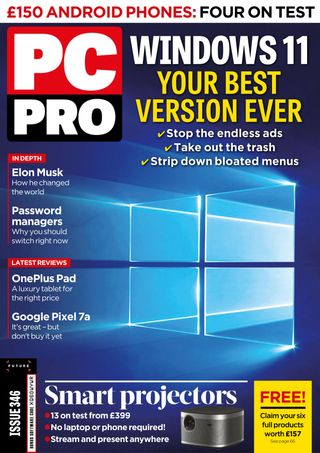

このストーリーは、PC Pro の August 2023 版からのものです。
Magzter GOLD を購読すると、厳選された何千ものプレミアム記事や、10,000 以上の雑誌や新聞にアクセスできます。
すでに購読者ですか? サインイン
PC Pro からのその他のストーリー

PC Pro
DrayTek VigorSwitch P2542x
A good-value gigabit PoE+ switch witha high port density, a big power budget and heaps of features

3 mins
February 2026

PC Pro
Jabra PanaCast 40 VBS
This smart VC combo offers on-demand Microsoft Teams Rooms and BYOD modes, plus great image quality
2 mins
February 2026

PC Pro
"Progress lies not with the trusted brands but through innovators in the gaming sector"
In the land where everyone is in a bind, those with the smallest devices will be king - or, why mini systems make such great diagnostic devices
8 mins
February 2026

PC Pro
Ubiquiti Networks UniFi U7 Pro XG
This classy tri-band business Wi-Fi AP delivers the perfect blend of features, performance and value
2 mins
February 2026

PC Pro
6 things to watch for in 2026
What to expect from the year ahead in the tech industry
5 mins
February 2026

PC Pro
HP OmniBook X Flip 14
HP OmniBook X Flip 14 HP continues to flip the rules on what to expect for around a grand, making this our top choice for 14in convertibles
3 mins
February 2026

PC Pro
Beelink SER9 Pro (Ryzen 7H255)
The novel AMD Ryzen 7 H 255 processor delivers strong all-round performance in a well-built system
3 mins
February 2026

PC Pro
The ICO clearly isn't fit for purpose
Experts have called for an inquiry into the Information Commissioner's Office – and they couldn't be more right
3 mins
February 2026

PC Pro
Medion Erazer Hunter X30
A basic chassis for the price, but you can't argue with the quality of the hardware within or the price
3 mins
February 2026

PC Pro
WHAT THE HELL HAPPENED TO THE INTERNET?
THE INTERNET HAS BEEN DRAGGED DOWN BY ENSHITTIFICATION, ACCORDING TO CORY DOCTOROW. IAIN THOMSON SITS DOWN WITH HIM TO DISCUSS WHAT WENT WRONG-AND HOW WE FIGHT BACK.
10 mins
February 2026
Translate
Change font size